Theme and custom CSS
The Theme tab of Site sets the look of every page at once: colours, fonts, corners and spacing. Below it, Custom CSS lets you add your own styles to the store. The tab has a live preview of the store as you change it.
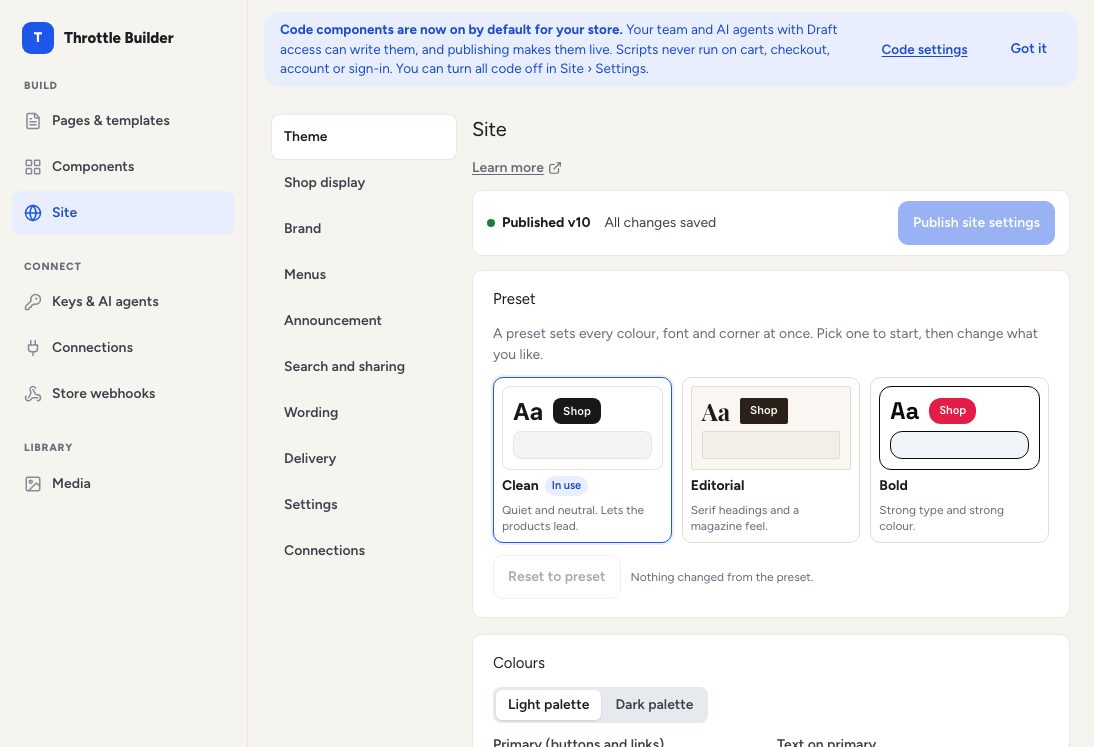
Presets
A preset sets every colour, font and corner at once. There are three: Clean, Editorial and Bold. Pick one to start, then change what you like. Once you change a colour or a font, the theme is customized and your values are used instead of the preset's. Picking another preset then asks first: Replace my changes or Keep mine. Reset to preset throws your changes away.
Colours
The store has a Light palette and a Dark palette, each with the same 14 colours. Switch between them at the top of Colours. The tab warns when text and its background are under a 4.5:1 contrast ratio, the level that reads comfortably.
| Colour | Setting | CSS variable |
|---|---|---|
| Primary (buttons and links) | colorPrimary | --tb-color-primary |
| Text on primary | colorPrimaryForeground | --tb-color-primary-foreground |
| Page background | colorBackground | --tb-color-background |
| Cards and panels | colorSurface | --tb-color-surface |
| Text | colorForeground | --tb-color-foreground |
| Muted background | colorMuted | --tb-color-muted |
| Muted text | colorMutedForeground | --tb-color-muted-foreground |
| Borders | colorBorder | --tb-color-border |
| Input borders | colorBorderControl | --tb-color-border-control |
| Accent | colorAccent | --tb-color-accent |
| Sale | colorSale | --tb-color-sale |
| Success | colorSuccess | --tb-color-success |
| Warning | colorWarning | --tb-color-warning |
| Error | colorDanger | --tb-color-danger |
A component's colour option takes either one of these theme colours or a fixed hex colour. A theme colour follows the palette, so it changes in dark mode; a hex colour does not.
Fonts, corners and spacing
| Setting | Values |
|---|---|
| Heading, body and mono fonts | One font each, from the list below. |
| Corner radius | 0 to 32 px. Applies to buttons, cards, inputs and images. |
| Spacing | Compact, comfortable or roomy. Scales every spacing step (xs to 2xl) of the store. |
| Colour scheme | Light, Dark, or Match the shopper (follow each shopper’s device). |
| Kind | Fonts |
|---|---|
| Serif | Instrument Serif, Playfair Display, Lora, Merriweather, Cormorant Garamond, EB Garamond, Libre Baskerville, Source Serif 4, Fraunces, DM Serif Display |
| Sans | Inter, Schibsted Grotesk, DM Sans, Manrope, Poppins, Montserrat, Work Sans, Rubik, Nunito Sans, Open Sans, Lato, Raleway, Outfit, Plus Jakarta Sans, Figtree, Karla |
| Mono | DM Mono, JetBrains Mono, IBM Plex Mono, Space Mono |
| Display | Bebas Neue, Oswald, Archivo Black, Space Grotesk, Syne |
| System | system-sans, system-serif, system-mono (the visitor’s own fonts, nothing to download) |
Custom CSS
Custom CSS applies to your store pages, never to checkout. It is one stylesheet for the whole site, and it is not scoped: a rule can reach any element of the store pages. Use theme variables so presets and dark mode keep working.
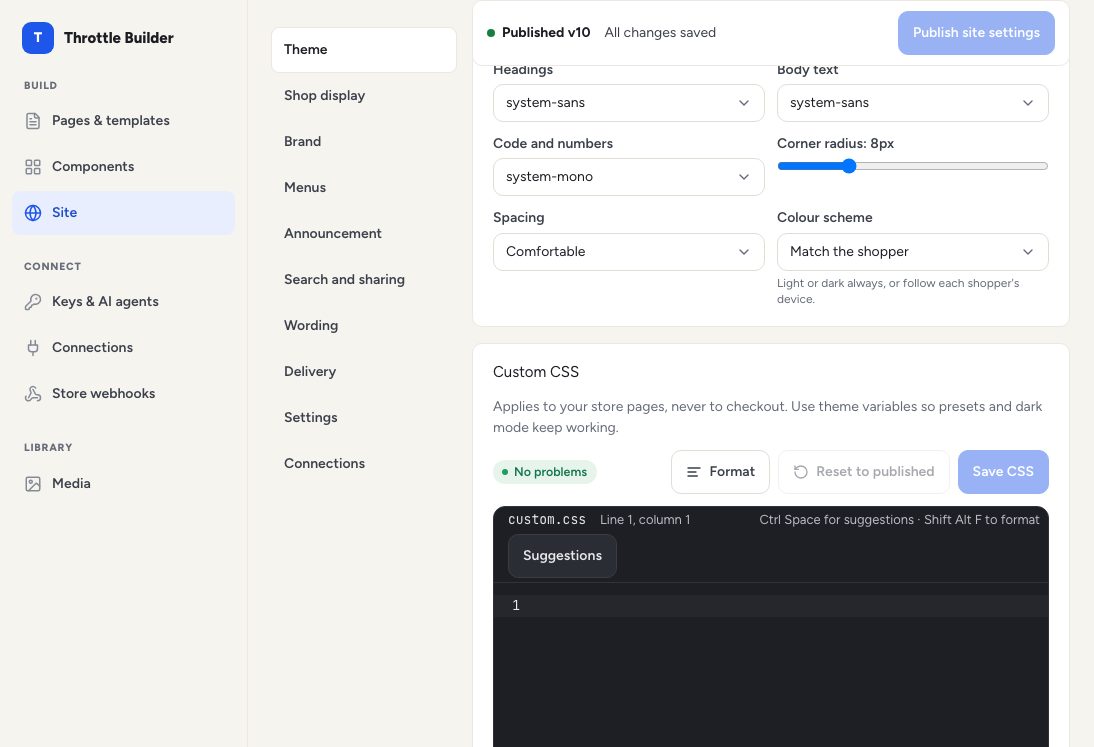
The editor is a code editor built for this:
- Highlighting and suggestions. Press Ctrl Space for suggestions: the store's theme variables with their current values, and the CSS class names your pages, header and footer use.
- Lint. Problems show as you type, with their line; Go to line jumps there. A variable your site does not set is a warning: it falls back to the property's default.
- Format. Shift Alt F tidies the stylesheet.
- Live preview. 300 ms after you stop typing, the preview takes the new CSS, as long as it has no errors.
- Save. Cmd or Ctrl S saves to the draft. A stylesheet with errors is not saved: fix them first. Publish the site to put it live.
/* Use theme variables, so presets and dark mode keep working */
.hero-title {
  color: var(--tb-color-primary);
  letter-spacing: -0.02em;
}

@media (max-width: 767px) {
  .hero-title { font-size: 2rem; }
}
Custom CSS rules and limits
The stylesheet is checked before it is saved, and any problem refuses the whole sheet, so a store never gets half a stylesheet. The rules keep the stylesheet from loading anything or running code:
| Rule | Details |
|---|---|
| Size | Up to 256 KB (262,144 bytes). |
| At-rules | Only @media, @supports and @keyframes. @import, @font-face and every other at-rule are refused. At-rules nest 4 deep at most. |
| Media queries | Widths in px, em or rem, plus prefers-reduced-motion, prefers-color-scheme, hover and pointer. |
| url() | Only an absolute https address on your store’s media origin (an image from Media), with no query or fragment, or a small data:image/svg+xml (4 KB at most). |
| Functions | The usual value functions are allowed: var, calc, min, max, clamp, colour functions (rgb, hsl, oklch, color-mix, light-dark and more), gradients, transforms, filters, shapes and counters. Functions that load a resource or run code (image-set, image, cross-fade, element, paint, src, expression) are refused. |
| Properties | Any property and any custom property (--name), except behavior and binding. |
| Selectors | Elements, classes, ids, :has, :not, :is, :where, :nth-*(An+B) and pseudo-elements. Attribute selectors only on data-*, aria-*, role, type, hidden, open and disabled. |
| Text | Printable ASCII outside comments and strings; no backslash escapes in names or url(); no <!-- or -->; no javascript: or expression( in strings. |
Each refusal names its line and column and a stable code, such as SITE_CSS_AT_RULE, SITE_CSS_URL, SITE_CSS_URL_ORIGIN, SITE_CSS_FUNCTION, SITE_CSS_PROPERTY, SITE_CSS_SELECTOR, SITE_CSS_ESCAPE, SITE_CSS_SYNTAX or SITE_CSS_TOO_LARGE.
theme.customCss with update_site_settings, and
the same rules apply.
Related
- Sections and layout: per-section spacing and backgrounds.
- Components: colour and size options of each component.
- Site settings: which setting wins.