Brand
The Brand tab of Site holds your store name, your logos, the favicon shown in the browser tab and the image shown when a page is shared. Every image comes from your Media library: upload a file or choose one already there.
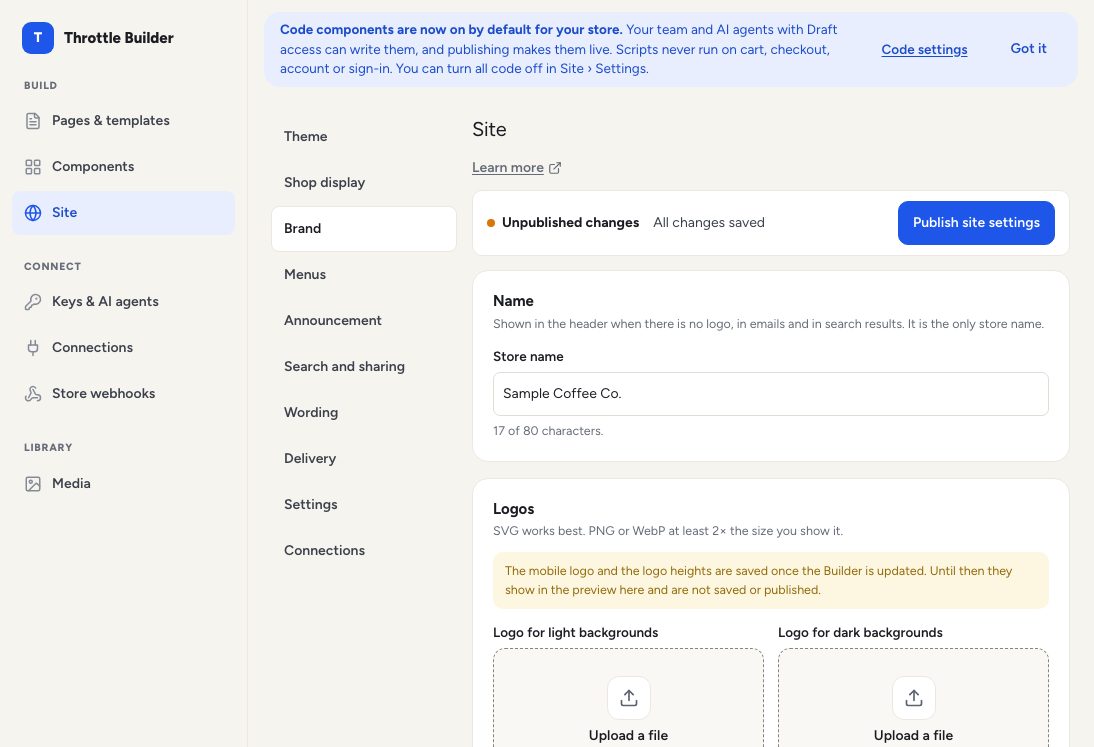
Store name
The store name is shown in the header when there is no logo, in emails and in search results. It is the only store name. Use 1 to 80 characters.
Logos
| Logo | When it is used |
|---|---|
| Logo for light backgrounds | The main logo, on the light palette and wherever no other logo is set. |
| Logo for dark backgrounds | Optional. On the dark palette and dark sections. The light logo is used when this is empty. |
| Mobile logo | Optional. A compact mark for phones (767 px and narrower). The light logo is used when this is empty. |
Each slot has Upload a file and Choose from Media. The Logo component in the header shows the right logo for the shopper's screen and colour scheme.
Logo height
Set the height for Desktop and tablet (16 to 120 px, 32 by default) and for phones (16 to 80 px, 28 by default). The header grows to fit, and the width follows the logo's shape. The preview shows the logo at either height.
Favicon
The favicon is made for you from the mobile logo, or else the light logo. Choose Regenerate to make it again after you change a logo. To use your own, upload a square image of at least 512 × 512 px; it replaces the generated icon. The card previews it in a browser tab.