Contact forms
The contact form component puts a form on a page. Every message is saved in Throttle and emailed to the store owner, or to addresses you choose. It works without JavaScript; with it, the shopper stays on the page and sees the success message.
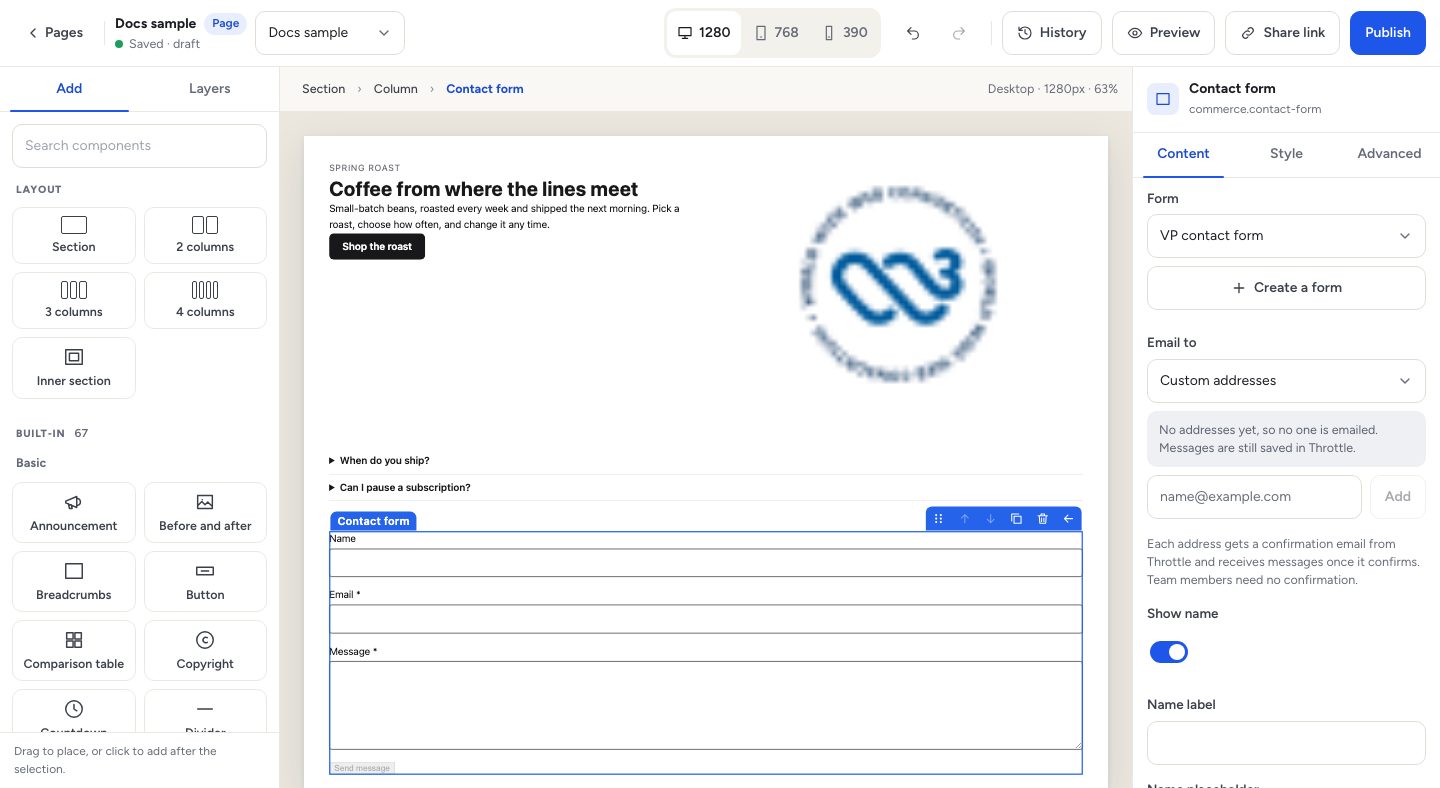
Add a form
- Add the Contact form component to a column.
- In its settings, under Form, pick one of your Throttle site forms or create a new one.
- Choose Email to: Store owner (the default) or Custom addresses.
- Choose which fields to show (name, email, phone, subject, message, consent checkbox), their labels and which are required. Email and message are shown and required by default.
- Set the Submit label, the Success message and the Error message, or set Go to this page after sending to send the shopper to a page instead of showing the message.
- Publish the page.
The component never holds or shows an email address in the page. The Builder writes the recipient setting to the form in Throttle. A subject can be a free field or a list: put the choices in Subject options, separated by commas.
Where messages go
- Saved in Throttle. Every submission is stored with the form. You read them in the Throttle dashboard (the Forms area), not in the Builder.
- Emailed. To the store owner, or to the custom addresses you set. Your own team members' addresses are notified at once. Any other address (a shared sales inbox, say) is first sent a confirmation email and receives nothing until someone clicks Confirm.
- Webhook. Developers can subscribe to the
form.submittedevent. See Site forms.
Spam protection
There is no captcha. These protections run on every form:
- Hidden trap field. The component includes an invisible field named
_gotchathat people never see or fill in. A submission with it filled in gets the normal success answer, but nothing is stored or emailed. - Rate limit. At most 10 submissions a minute from one IP address; more are refused with a 429 answer.
- Own site only. A form made through the Builder accepts posts from your store's own address only, so other websites cannot use it from a browser.
- Fixed recipients. Emails go only to the addresses set on the form. A submission can never choose who receives mail.
- Size limits. At most 50 fields and a 64 KB body per submission.
The full list, with the error codes, is on Site forms. If the email does not arrive, check spam folders and filters first.
What an AI agent can see
An AI key can list your forms (list_site_forms), create one (create_site_form) and read submission metadata only
(list_form_submissions): how many there are, when each came in, its topic and whether its email was delivered. It never sees names, email addresses, phone
numbers or messages.
If the picker says Builder needs an update
Listing and creating forms needs a permission (forms:write) that only newer Builder versions ask for. In the Throttle dashboard open Extensions, then Throttle
Builder, upgrade it and approve the new Forms permission. Then reload the Builder. More on Troubleshooting.